 Project Nexus
Capital works management platform
Every project, every dollar, one system.
Project Nexus runs the whole capital works program — business case to handover — so the delivery team stops reconciling spreadsheets and the executive stops asking where the report is.
Project Nexus is a client-side project management platform, built for project management companies, large organisations and governments that manage the delivery of large portfolios of capital works projects.
Screens below use illustrative data.
The program is real. The reporting isn’t.
Most capital works programs are run across a finance system that knows the dollars, a scheduling tool that knows the dates, a shared drive that holds the documents, and a spreadsheet that tries to hold all three together. Nobody trusts the spreadsheet, so every report is rebuilt by hand, and the numbers in the board pack are three weeks old before it is printed.
place for the money
Budget, commitments, claims, variations, retention and grant acquittal against the same project record — so the forecast and the actuals cannot disagree.
stage gates
A defined lifecycle with approval criteria at each gate, and the delegation authority to advance enforced rather than assumed.
rebuilt reports
The portfolio view, the executive summary PDF and the monthly board pack are generated from the live record, not assembled the night before.
The platform
Six areas, 268 capabilities
These are the application's own feature categories — the same ones used to organise the product itself, not a marketing rearrangement of it.
Portfolio & Analytics
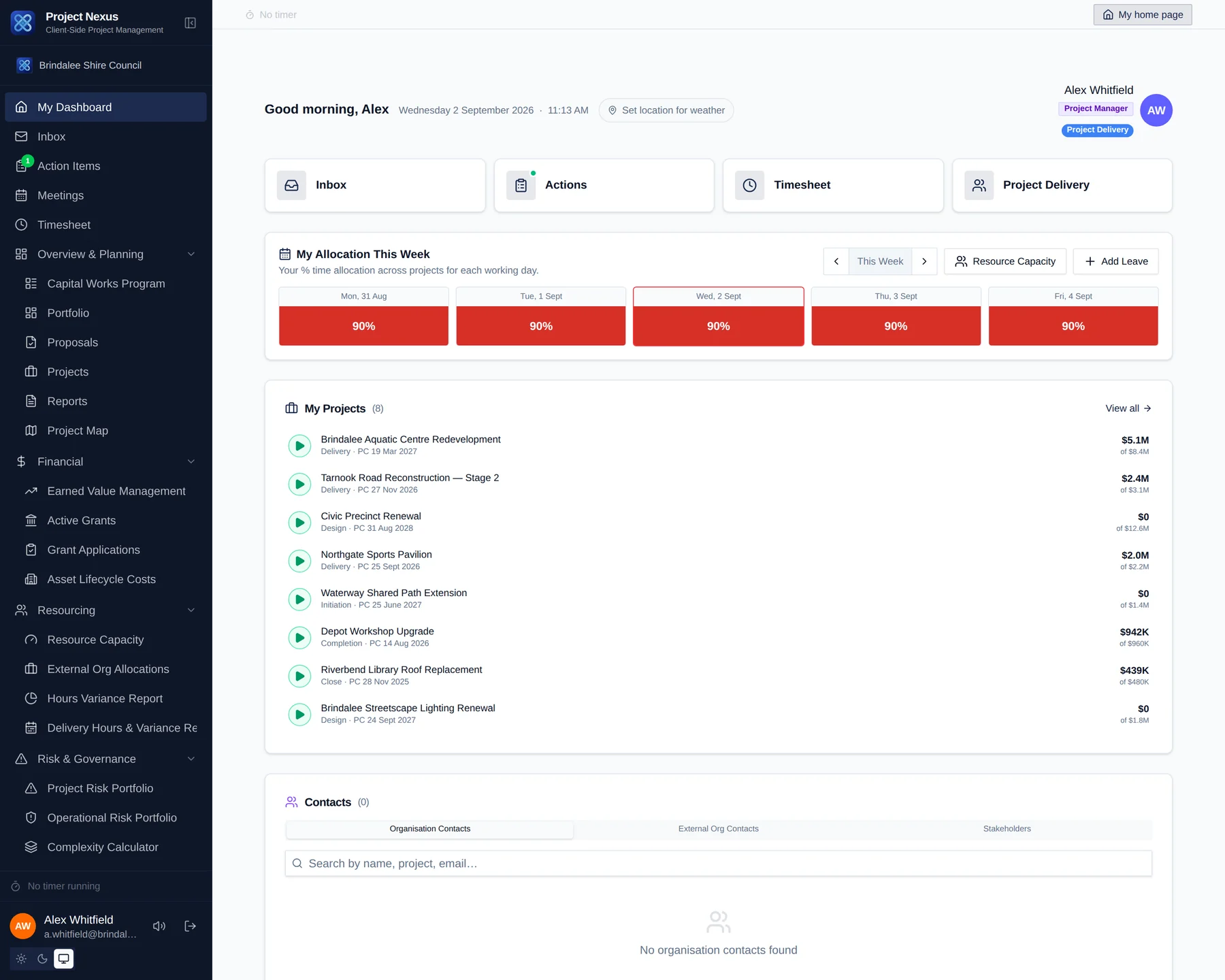
The whole program on one screen — RAG, spend, forecast, risk and complexity — with the drill-down from portfolio tile to a single transaction.
- My Dashboard
- Reports & Reporting
- Project Map
- Departments, Branches & Teams
- Recent Activity
Project Delivery
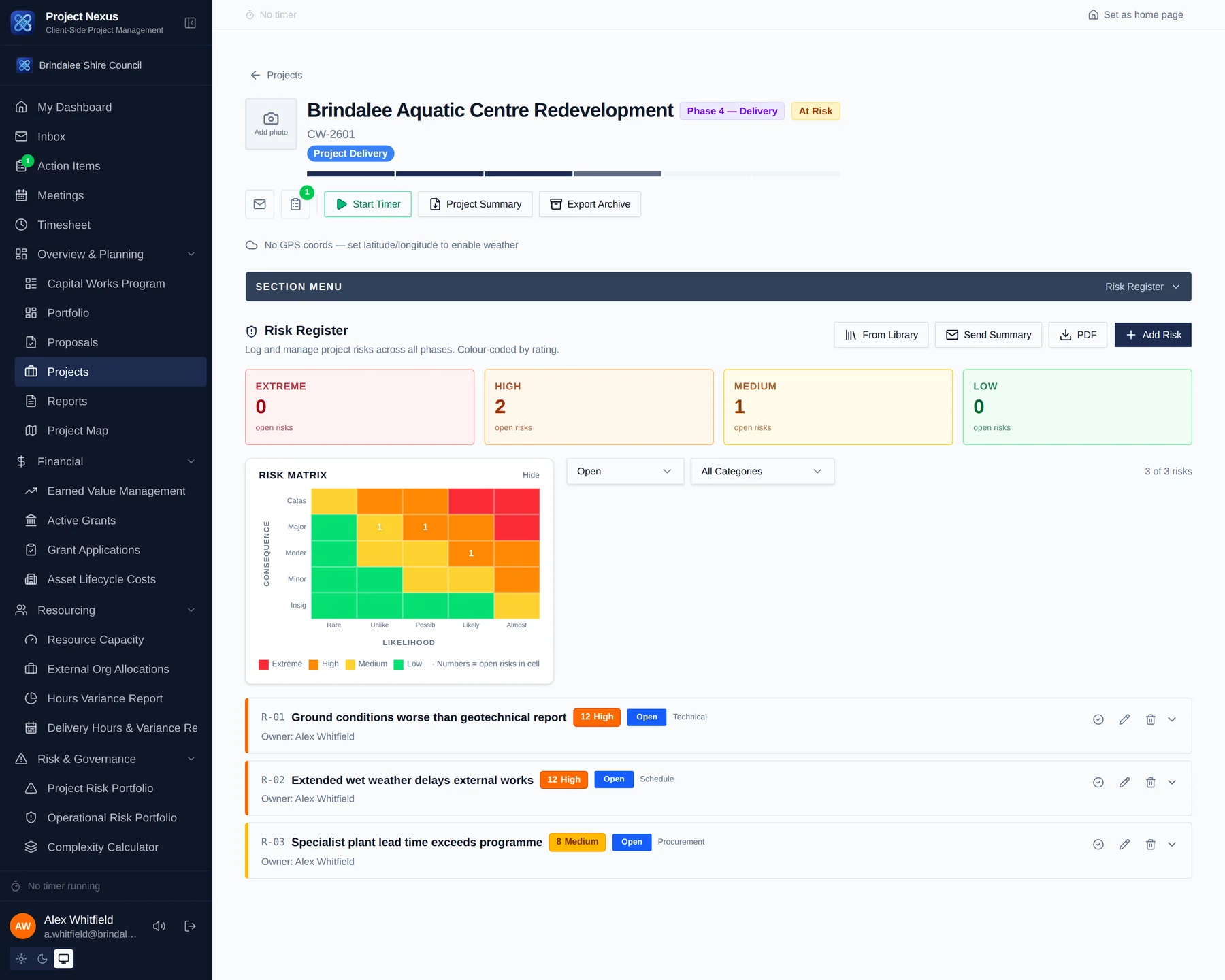
The working surface for a project: programme, milestones, contract administration, site records, quality, defects and handover.
- Projects
- Milestones
- Project Programme (Gantt)
- Risk Register
- Complexity Calculator
Financials & Grants
Budget, cash flow, progress claims, variations and retention, alongside the grant applications and acquittals that fund them.
- Financial Management
- EVM Metrics
- Funding & Grant Acquittal
- Grant Application
Team & Collaboration
Who is doing the work, how much of them is left, and the meetings, actions, correspondence and timesheets around it.
- Project Team
- Meetings & Action Items
- Timesheet
- Contractor Performance
- Notification Preferences
Reporting & Insights
Reports that come out of the record rather than being rebuilt for it — progress reports, executive summaries and portfolio packs.
- Post Occupancy Evaluation
- Knowledge Base & Lessons Learnt
Administration
Organisation structure, roles and permissions, templates, registers and bulk data tools for the people who run the system.
- Organisation Dashboard & Admin
- User Roles & Permissions
- Org Structure Diagram
- Bulk Import Templates
Lifecycle
Built around the way capital works actually runs
Six stages, each with its own gate. A project cannot advance until its criteria are met, and only someone with the delegation to approve it can move it on.
Proposal
Business case, cost–benefit, options and the funding ask.
Initiation
Brief, budget plan, project team, complexity assessment and risk register.
Design
Consultant engagement, design review, lifecycle costing, planning approvals.
Delivery
Contract administration, progress claims, variations, site records and quality.
Completion
Practical completion, PC defects, commissioning, O&M manuals and warranties.
Close
Final account, retention release, grant acquittal, lessons learnt, asset handover.
The whole program
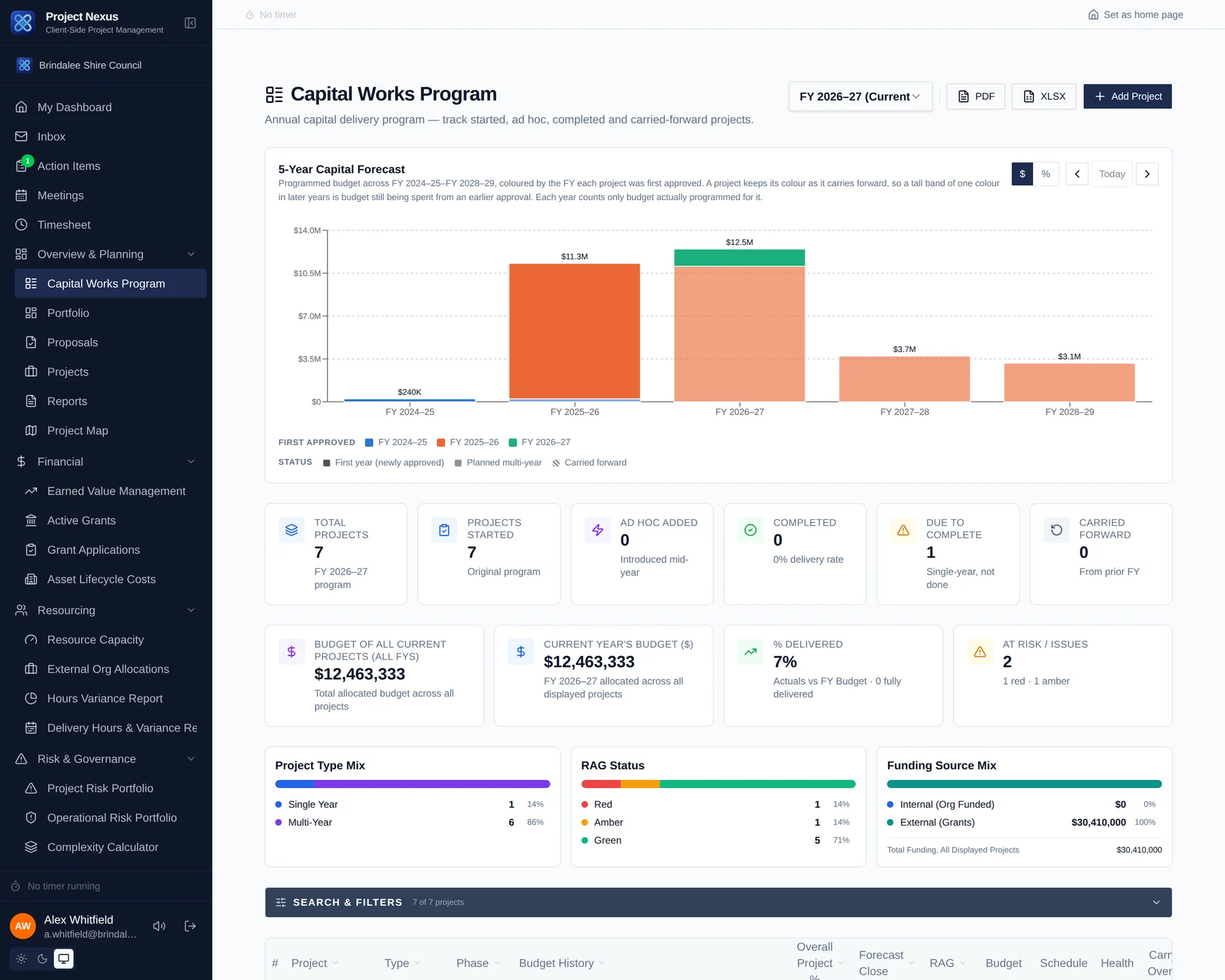
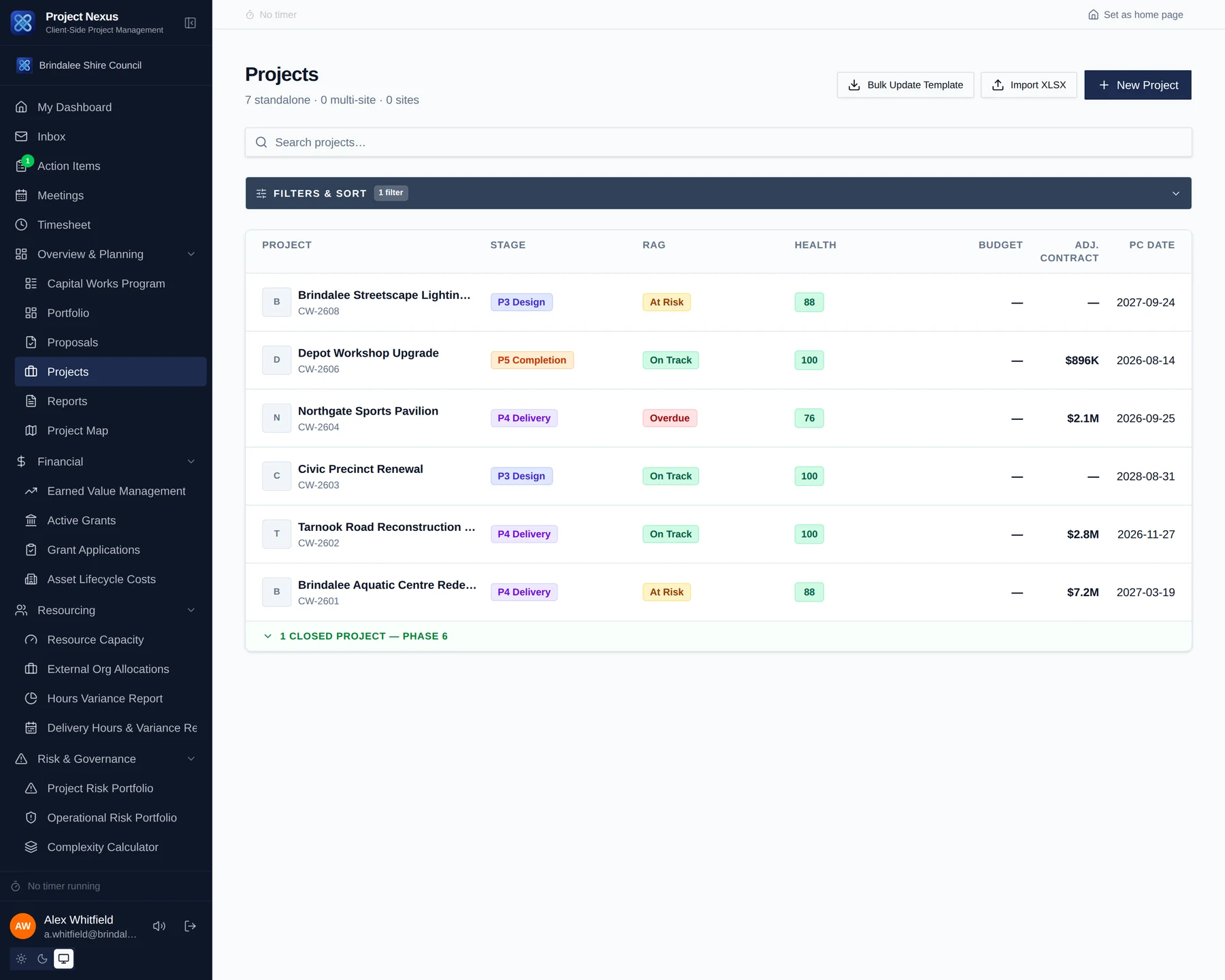
An annual program, not a folder of projects
Which projects are in this year's program, what each draws down in each financial year, and what carries forward — with the five-year forecast built from the same entries rather than a separate spreadsheet kept alongside them.
In the project
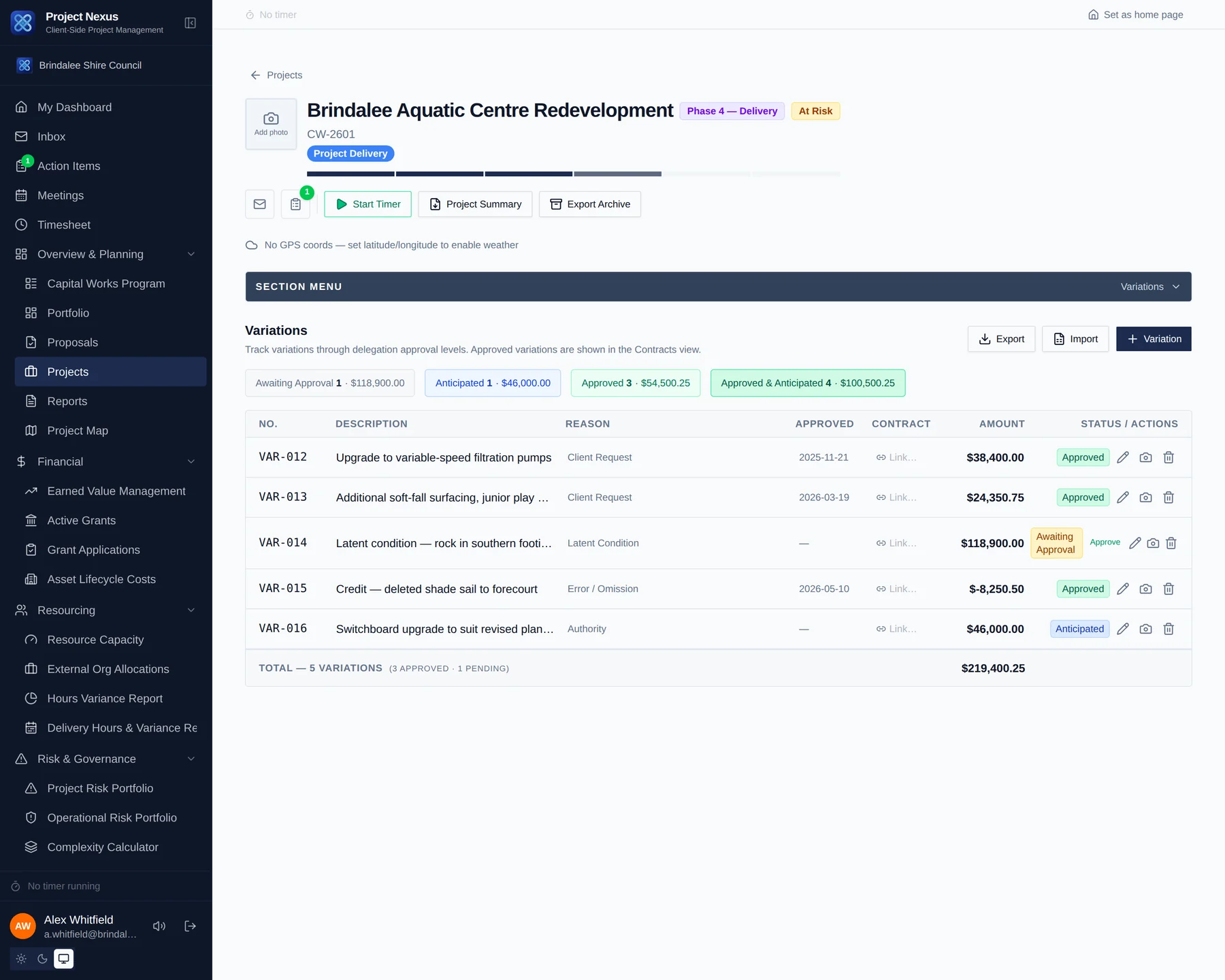
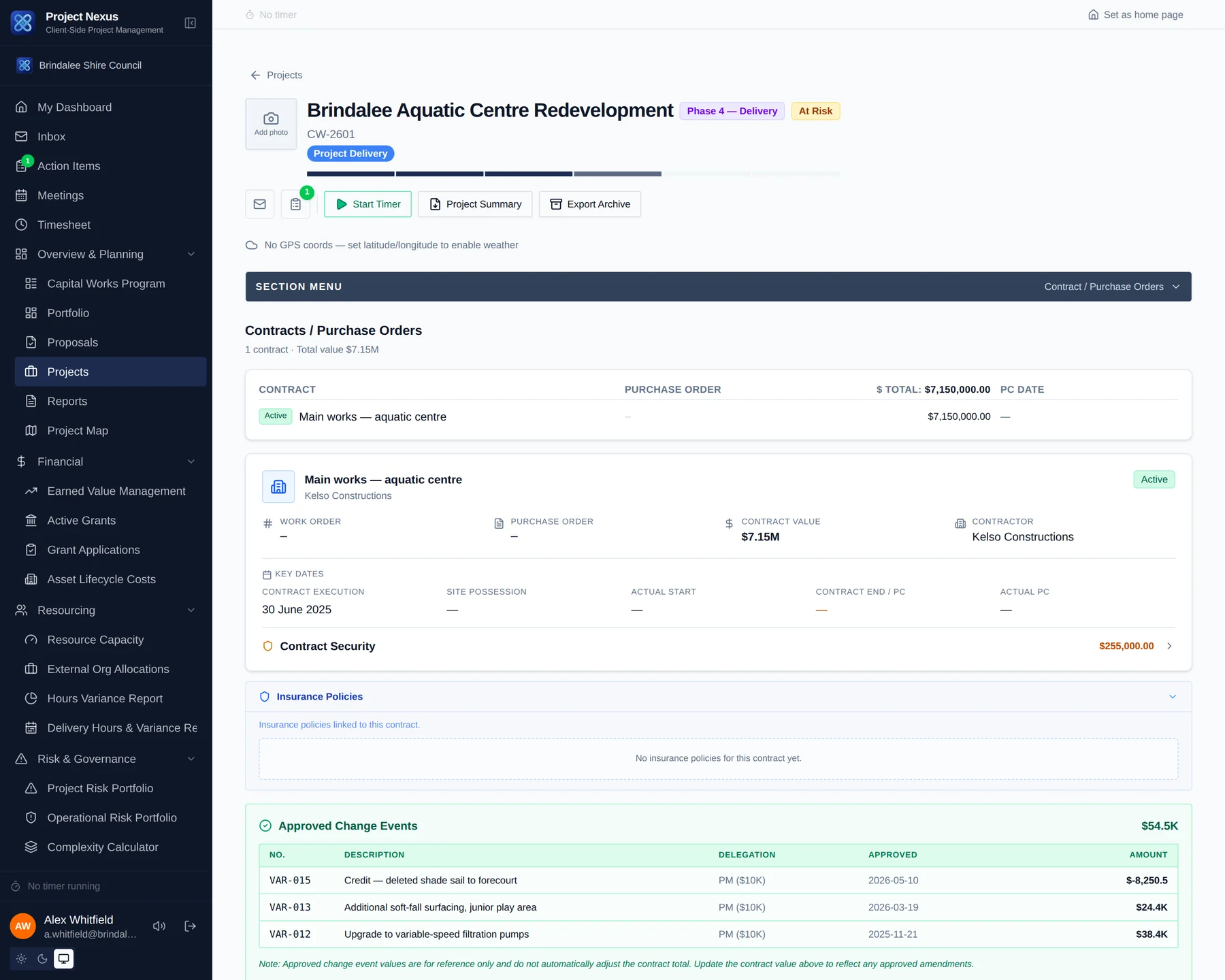
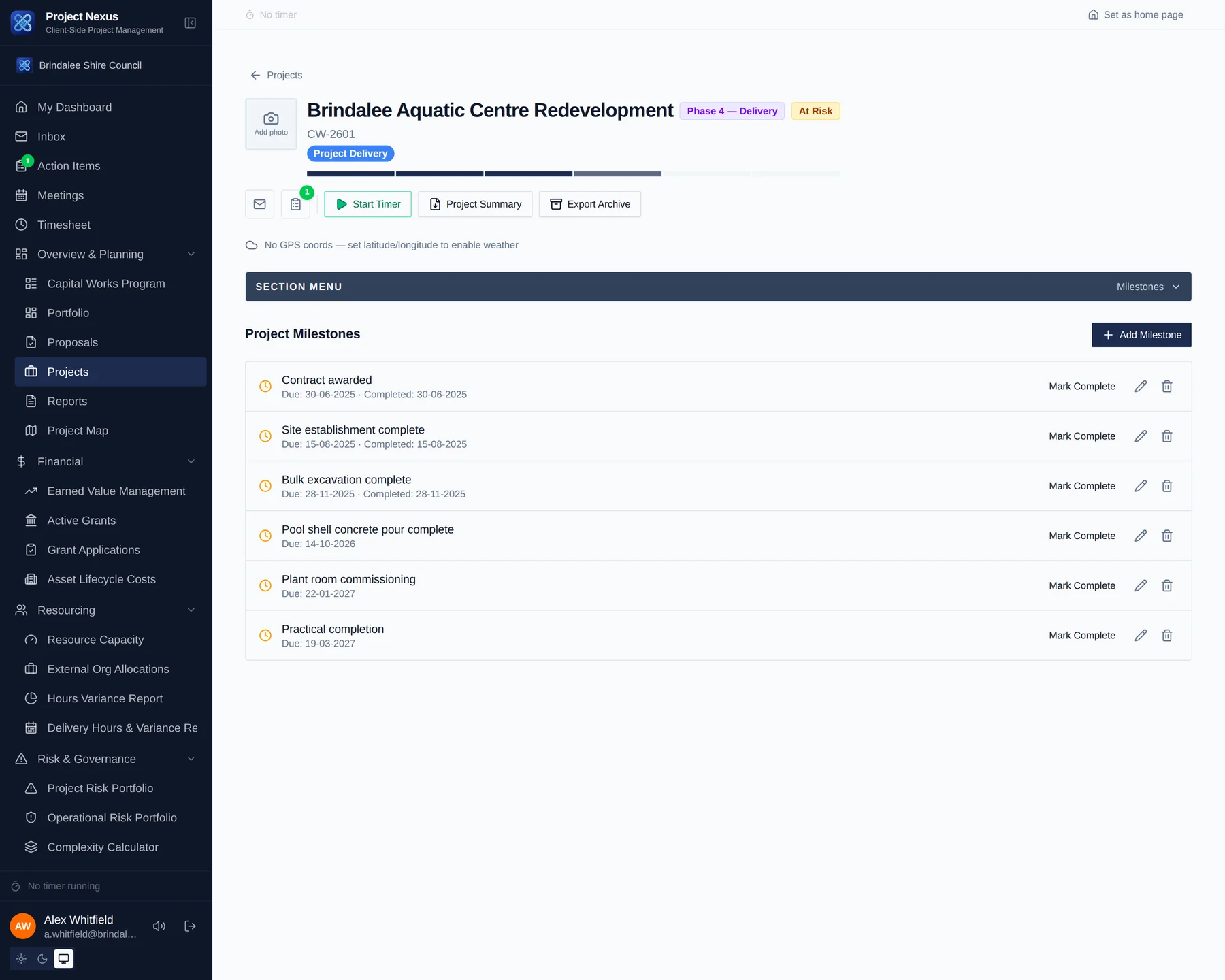
The delivery detail, not just the dashboard
Variations, claims, funding and milestones sit on the project record itself, so the portfolio numbers above are a rollup of real work rather than a separate return someone has to file.
Where it counts
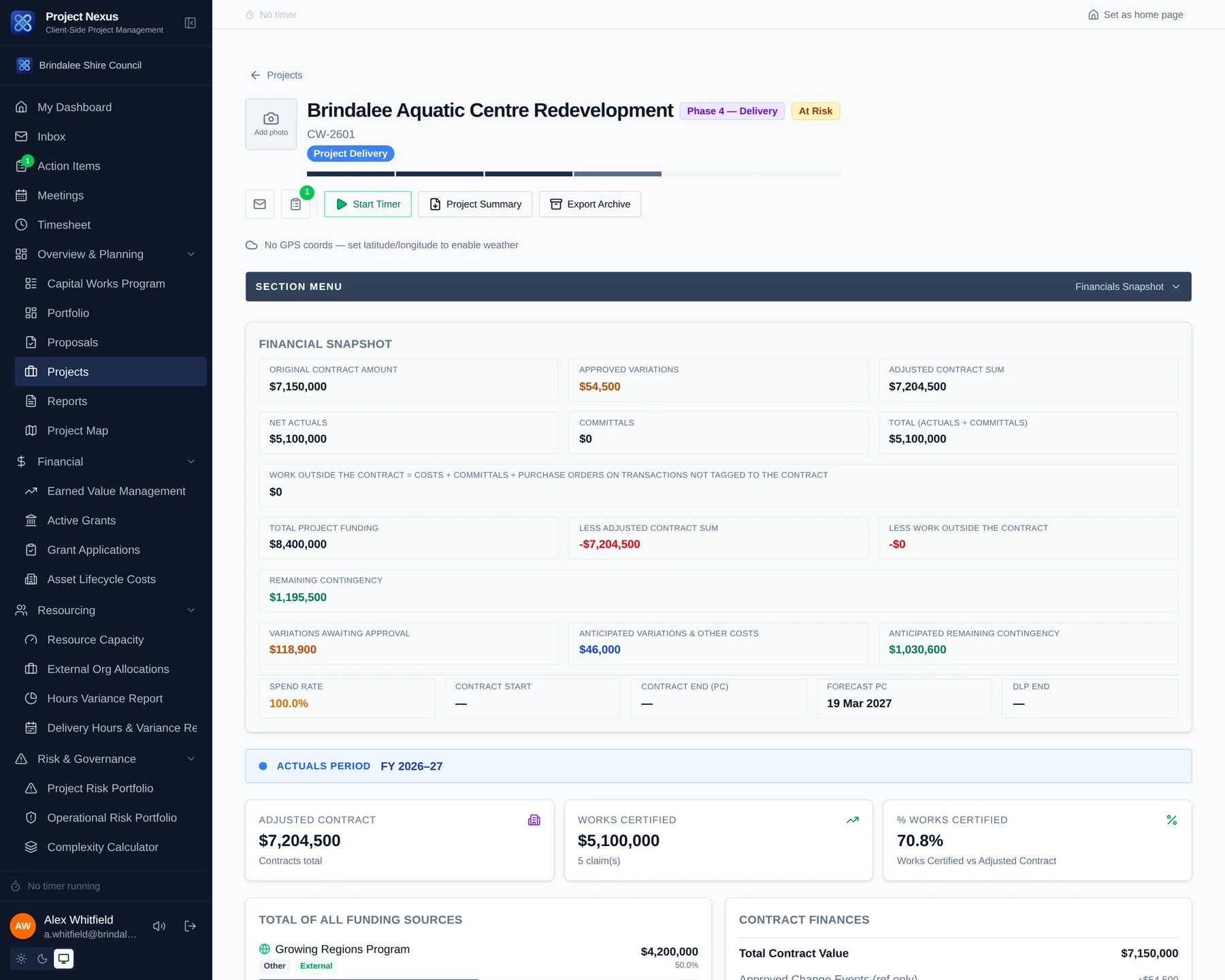
The financial position, without the reconciliation
Contract sum, approved variations, actuals, committals and what is left of the contingency — derived from the same records the delivery team works in, so the snapshot is current by construction rather than because somebody updated it.
Show the community what you are building
Publish your capital works program to the public
Every project already carries its location, dates, progress, photographs and latest update. Publishing turns the ones you choose into a public page — no login, no separate website to maintain, and nothing published that you have not explicitly selected.
-
1
Turn the page on
Org Settings → Public Portfolio Page. Nothing is public until an administrator switches it on, and the switch is the only thing that makes any of it reachable.
-
2
Choose what appears
Publish a whole phase — every project in Delivery, say — then add or remove individual projects on top of that. A live preview beside the settings shows the public page changing as you choose.
-
3
Decide what each page shows
Budget, map, dates, progress, photographs, the written report and the update history are each switched on or off separately. Budget is off until you turn it on, and a photograph marked as excluded from reports never leaves the building.
-
4
Share the address, or embed it
You get a web address for the portfolio and for each project page, plus embed code that drops the same page straight into your own website.
A published portfolio, live
This is a real public portfolio page, embedded here with the code below.
- Nothing is published until an administrator enables it.
- Only the projects you select appear — everything else is invisible.
- Street addresses are never published; the map shows the locality.
- An unpublished project is indistinguishable from one that does not exist.
Built for everyone the program touches
Project managers
One place for the programme, the claims, the variations and the correspondence — and a project summary PDF that writes itself for the next control group meeting.
Managers and directors
Portfolio RAG, spend against budget, resource load and the projects drifting — without asking anyone to prepare anything.
Finance and grants
Commitments, forecasts and cash flow tied to the same records the delivery team is working in, with acquittal reporting built from the actuals.
Executive and elected members
A board pack generated from the live program, with the same numbers the delivery team is looking at on the same day.
Talk to us
Tell us the size of your capital works program and what you are running it on now. We will show you the platform against your own kind of work, and quote on what it would take to move.
Or email solutions@project-nexus.com.au